
SPECIAL PROMOTION — Up to 40% off across many product groups, until 31 December 2026 · Click to see all promotion itemsIFM, Sensor, Automation SystemMeasuring / Testing InstrumentsTemp Indicator, Control, T/C, RTD, TimerHeater, SCR Control, Solid State, Power Supply, Control CabinetField Measuring Instruments, Pressure Gauge, Level Control, Flow MeasurementEMC, Pneumatic, Solenoid ValveInspection Test Lamp, Head Light, Automotive Measuring InstrumentWeighing Scales, Marking Machine, PrintersEducational Training SystemsHot Line Tools & Equipment SPECIAL PROMOTION — Up to 40% off across many product groups, until 31 December 2026 · Click to see all promotion itemsIFM, Sensor, Automation SystemMeasuring / Testing InstrumentsTemp Indicator, Control, T/C, RTD, TimerHeater, SCR Control, Solid State, Power Supply, Control CabinetField Measuring Instruments, Pressure Gauge, Level Control, Flow MeasurementEMC, Pneumatic, Solenoid ValveInspection Test Lamp, Head Light, Automotive Measuring InstrumentWeighing Scales, Marking Machine, PrintersEducational Training SystemsHot Line Tools & Equipment View promotion items View all
Converter
What is an RS485 Converter?
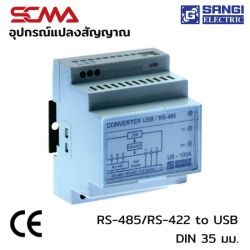
An RS485 Converter is a device used to convert RS485 signals, which are serial communication standards, into other signal formats such as LAN (Local Area Network), USB, RS232, or WiFi. This conversion facilitates smooth connectivity and communication between devices.
Types of RS485 Converters
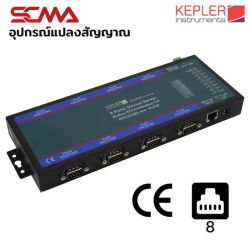
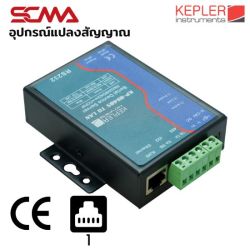
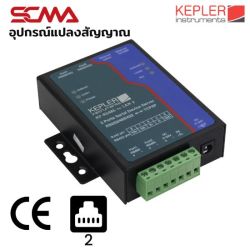
- RS485 to LAN Converter - Converts RS485 signals into Ethernet network (LAN) signals for connecting RS485 devices to computers.
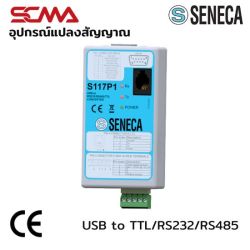
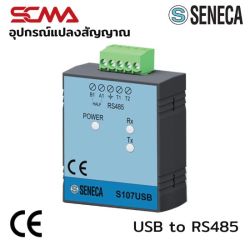
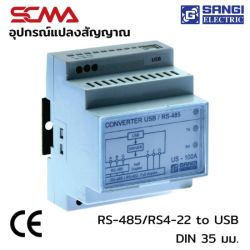
- RS485 to USB Converter - Converts RS485 signals into USB signals for connecting RS485 devices to devices with USB ports.
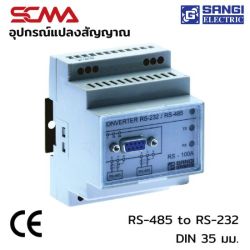
- RS485 to RS232 Converter - Converts RS485 signals into RS232 signals for connecting to devices that use the RS232 standard.
- RS485 to WiFi Converter - Converts RS485 signals into WiFi signals for connecting devices that support wireless network usage.
Applications of RS485 Converters
- Used for controlling and communicating with machinery and equipment in manufacturing production lines.
- Used to connect and control electrical and energy systems in the energy industry, such as solar cell systems and wind power systems.
- Used to connect and control CCTV cameras and security systems.
- Used to control and monitor irrigation and farming systems in smart agriculture.
Famous Brands in the RS485 Converter Market
- Advantech - A manufacturer of communication and control equipment for industry, offering a wide range of products that meet customer needs well.
- B+B SmartWorx (Advantech) - A manufacturer of communication and connection devices with a variety of RS485 Converters that are durable and reliable.
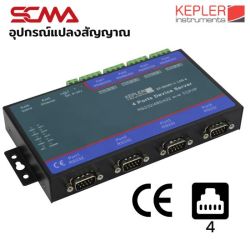
- KEPLER INSTRUMENTS - A brand with a diverse product range, high quality, and reliability.
- ICP DAS - Specializes in industrial data communication and control, offering efficient RS485 Converter products.
- Moxa - A leading company in industrial data communication, providing high-quality and reliable RS485 Converters.
View the Converter Catalog: Click here
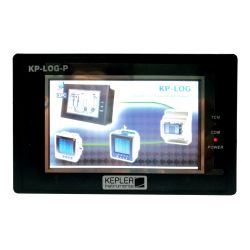
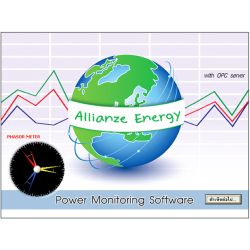 ALLIANZE ENERGY PRO POWER ANALYSING AND RECORDING PROGRAM KEPLERTHB 128,700.00
Delivery: 30 ต.ค. 2569
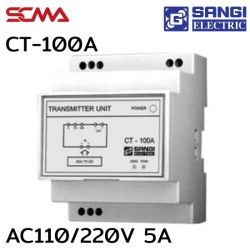
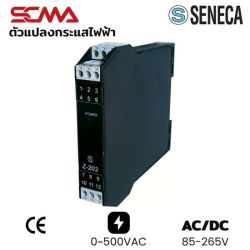
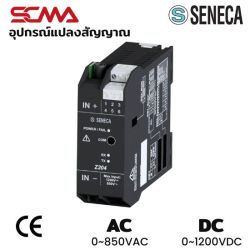
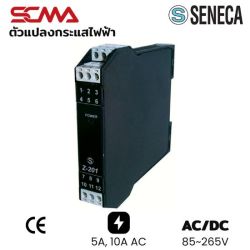
What is a Converter? A Complete Guide to Selecting Signal Conversion Equipment
A converter, or signal converter, serves as a bridge between different types of signals or standards to enable communication. This article delves into the popular types of converters used, from media converters for fiber optic work to HDMI converters for display purposes. It aims to help engineers and technicians choose the right equipment efficiently and cost-effectively. For consultation on designing signal conversion systems, contact our engineering teamhere.
Understanding Converters - Signal Conversion Devices
In an era of rapid technological change, electronic devices often come with various and different connection ports. To make equipment from different eras or types work together, a communication intermediary is necessary.
What is a Converter?
A converter (signal converter) is hardware that receives signals in one format and processes them to convert into another format for the receiving device to use. Examples include converting digital to analog (HDMI to VGA), electrical to optical in media converters, or industrial sensor signals to a standard format for PLCs or control systems. This function is similar to that of Transmitters in some contexts. Learn morehere.
Why Do We Need Signal Converters? (Real-world Applications)
The main reasons to use signal converters are "compatibility" and "distance." For example, in an office with old projectors that have VGA ports but new computers with only HDMI ports, using a HDMI converter is more cost-effective than buying a new projector. Or for long-distance camera surveillance systems, standard Ethernet cables may not exceed 100 meters, but media converters can extend the signal over several kilometers via fiber optic.
Types of Converters
There are many types of signal converters available, categorized by the type of signal they convert.
Video Converters (HDMI, VGA, DisplayPort)
This is the most popular category for general users. It converts video signals between different ports such as HDMI converters for digital signals, HDMI to VGA converters for connecting new computers to old monitors, or VGA to HDMI converters for bringing images from older computers to newer TVs. There are also HDMI to AV converters that convert high-definition signals down to RCA (white-red-yellow) cables for old TVs, and small portable HDMI to VGA adapters.
Media Converters (Fiber Optic to Ethernet)
For network systems and CCTV cameras, media converters are crucial in extending connection distances by converting electrical signals from standard LAN cables into optical signals through fiber optic. HDMI fiber or HDMI fiber optic extenders use similar principles for long-distance signal transmission via fiber optics, or using HDMI to LAN and LAN to HDMI for shorter distances. They are often sold as pairs or converter kits.
Audio Converters (Analog to Digital)
Used for converting audio signals such as from the optical output of a new TV to RCA white-red cables or AUX 3.5mm jacks for older speakers or amplifiers that do not support digital inputs. Learn more about digital-to-analog conversionhere.
Port Adapters (USB-C Hub, Dongle)
In an era of thinner laptops with fewer ports, USB-C hubs that include HDMI, LAN, and USB-A ports are used to convert ports for full connectivity.
Checklist - 4 Points Before Buying a Converter
Choosing the right HDMI converter or other converters is not just about looking at the connectors but also checking technical details to prevent issues like no picture or non-functionality.
1. Verify Source and Destination Ports
Clearly specify what the source signal (Source) is and where it's going (Display/Sink). For example, an HDMI to VGA converter works in one direction; if you need to convert from a computer with a VGA port to an HDMI monitor, you would use a VGA to HDMI converter. Buying in the wrong direction is a common mistake.
2. Resolution and Required Functions
Check the maximum resolution supported by the device such as Full HD 1080p or 4K, ensuring compatibility with your display's resolution. For media converters, check data transfer speeds like 10/100 Mbps or Gigabit 1000 Mbps to match network requirements.
3. Active vs Passive Converters: Which is Better?
Passive converters don't require power and are suitable for simple conversions like HDMI to DVI, while active converters have internal processing chips requiring additional power via a power adapter or similar. For cross-system conversions such as digital-to-analog (HDMI to VGA), an active converter is necessary for signal stability.
4. Budget and Reliable Brands
Products range from hundreds to thousands of dollars; choosing a reliable brand with warranties reduces the risk of substandard equipment that could damage main connectors.
Recommended Converters for Each Application Type
Correct usage saves budget and installation time. Here are examples of matching converters to specific tasks:
For Computer Monitors or Projectors
To connect a new laptop to an old projector, use an HDMI to VGA converter with audio output and power input for stability. For connecting older PCs to newer monitors, use an active VGA to HDMI converter.
For Fiber Optic Network Work
For long-distance cable runs over 100 meters, choose Gigabit media converters for high-speed data transfer. For remote CCTV cameras, consider specialized HDMI fiber extenders designed for video clarity and stability.
Connecting New Devices to Old Ones
To connect a new gaming console to an old TV or digital TV box to a computer monitor, use HDMI to AV converters or VGA adapters respectively. Consider aspect ratio differences as well.
Think of SCMA for Your Converter Needs!
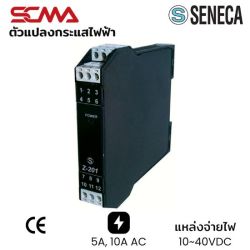
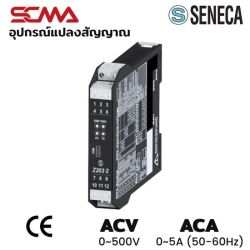
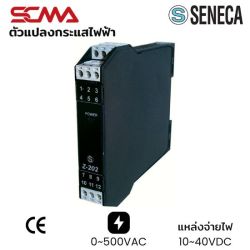
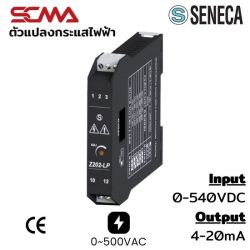
For industrial signal conversion equipment needs such as Signal Converters 4-20mA, RS485 converters or network media converters, SCMA offers consultation and high-quality products to ensure smooth production and data communication. With expert teams and leading brands, you can trust in quality and after-sales service.
Summary
Choosing the right converter starts with understanding system requirements including port types, signal direction, and resolution needs. Investing in high-quality equipment is better than dealing with issues from substandard devices. For additional advice or industrial solutions, contact SCMA's teamhere.
Frequently Asked Questions
Does Using a Converter Reduce Quality?
Digital-to-digital conversions (like HDMI to DVI) usually maintain quality, but digital-to-analog conversions (such as HDMI to VGA) may slightly reduce image quality depending on the converter's chip quality.
Do You Need Drivers?
Most converters like HDMI or VGA converters work plug-and-play without drivers, except for some USB-based converters that might require additional software installation.
What is a Converter Scaler? How Does It Differ?
While regular converters pass through signal formats with original resolution, scaler converters can adjust image resolution (upscale/downscale) to match the destination display. These are often found in professional or high-end converter models.
This website uses cookies
We use cookies to make the site work properly, to understand how it is used, and to show content that is relevant to you. You choose which types to allow; strictly necessary cookies are always on. Privacy Policy
🤖 AI Assistant
Ask about products, specs and replacement models
Hello 👋 Ask us anything — find products, compare specs, or troubleshoot.
🗑 Clear history