
SPECIAL PROMOTION — Up to 40% off across many product groups, until 31 December 2026 · Click to see all promotion itemsIFM, Sensor, Automation SystemMeasuring / Testing InstrumentsTemp Indicator, Control, T/C, RTD, TimerHeater, SCR Control, Solid State, Power Supply, Control CabinetField Measuring Instruments, Pressure Gauge, Level Control, Flow MeasurementEMC, Pneumatic, Solenoid ValveInspection Test Lamp, Head Light, Automotive Measuring InstrumentWeighing Scales, Marking Machine, PrintersEducational Training SystemsHot Line Tools & Equipment SPECIAL PROMOTION — Up to 40% off across many product groups, until 31 December 2026 · Click to see all promotion itemsIFM, Sensor, Automation SystemMeasuring / Testing InstrumentsTemp Indicator, Control, T/C, RTD, TimerHeater, SCR Control, Solid State, Power Supply, Control CabinetField Measuring Instruments, Pressure Gauge, Level Control, Flow MeasurementEMC, Pneumatic, Solenoid ValveInspection Test Lamp, Head Light, Automotive Measuring InstrumentWeighing Scales, Marking Machine, PrintersEducational Training SystemsHot Line Tools & Equipment View promotion items View all
Jumper cables
Jumper cables are what?
SCMA has been officially appointed as the sole authorized distributor of ifm in Thailand.
ifm Jumper Cables are designed for use with sensors, controllers, or electrical equipment in industrial settings, particularly in Industrial Automation systems that focus on data and power connectivity in various environments.
Types of ifm Jumper Cables
- M8/M12 connector cables, using standard M8 or M12 connectors popular in sensor systems. They come in 3-pin, 4-pin, or 5-pin configurations depending on the equipment used.
- Pre-wired cables with ready-to-use long leads.
- Plug-in cables that can easily connect to male or female plugs.
- Cables for IO-Link systems supporting communication between sensors and controllers that support the IO-Link Protocol.
Why choose ifm Jumper Cables?
ifm electronic, a world-class brand specializing in the production and distribution of sensors for industrial automation systems, offers high-quality products with cutting-edge technology. This enhances efficiency and reliability in smart factories. The IO-Link feature in their sensors is crucial for developing intelligent industries, improving manufacturing efficiency, reducing errors, and enhancing process control accuracy to deliver top-notch quality products.
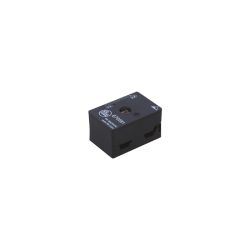 E70581 \ ecomat 300 \ Bus system AS-interface \ FC Splitter AS-i UL \VNSpecial Price THB 1,200.00 Regular Price THB 1,600.00
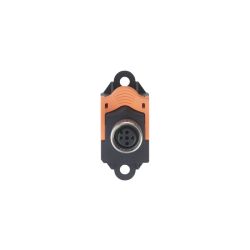 E75005 \ ecomat 300 \ Bus system AS-interface \ FC Quick Connect M12 \ DESpecial Price THB 555.00 Regular Price THB 740.00
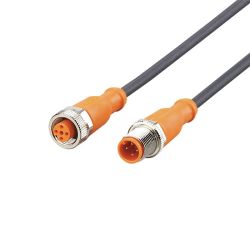 EVC014 \ ecomat 400 \ Passive connection technology \ VDOGH040MSS0005H04STGH040MSS \ PLSpecial Price THB 1,425.00 Regular Price THB 1,900.00
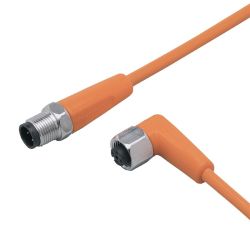 EVT049 \ ecomat 400 \ Passive connection technology \ VDOAH040VAS0002E04STGH040VAS \ PLSpecial Price THB 1,725.00 Regular Price THB 2,300.00
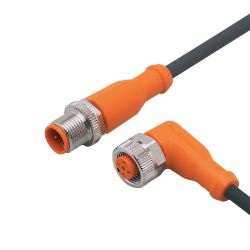 EVC016 \ ecomat 400 \ Passive connection technology \ VDOAH040MSS00,6H04STGH040MSS \ PLSpecial Price THB 1,050.00 Regular Price THB 1,400.00
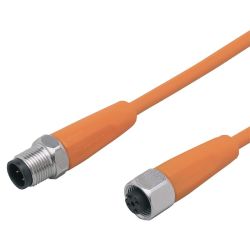 EVT043 \ ecomat 400 \ Passive connection technology \ VDOGH040VAS0002E04STGH040VAS \ PLSpecial Price THB 1,725.00 Regular Price THB 2,300.00
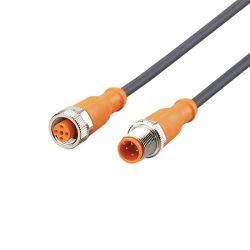 EVC013 \ ecomat 400 \ Passive connection technology \ VDOGH040MSS0002H04STGH040MSS \ PLSpecial Price THB 1,125.00 Regular Price THB 1,500.00
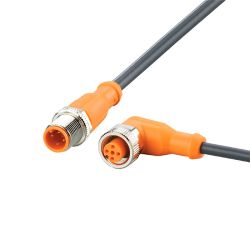 EVC015 \ ecomat 400 \ Passive connection technology \ VDOAH040MSS00,3H04STGH040MSS \ PLSpecial Price THB 1,050.00 Regular Price THB 1,400.00
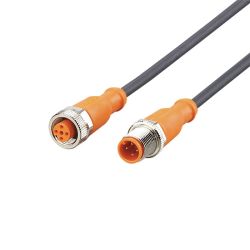 EVC010 \ ecomat 400 \ Passive connection technology \ VDOGH040MSS00,3H04STGH040MSS \ PLSpecial Price THB 1,050.00 Regular Price THB 1,400.00
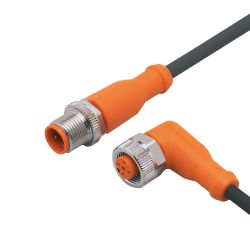 EVC019 \ ecomat 400 \ Passive connection technology \ VDOAH040MSS0005H04STGH040MSS \ PLSpecial Price THB 1,425.00 Regular Price THB 1,900.00
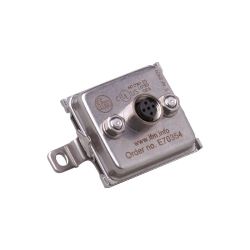 E70354 \ ecomat 300 \ Bus system AS-interface \ FCE Splitter DESpecial Price THB 2,625.00 Regular Price THB 3,500.00
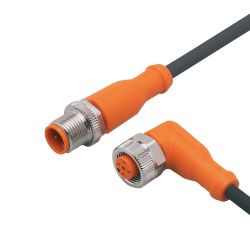 EVC017 \ ecomat 400 \ Connection \ VDOAH040MSS0001H04STGH040MSS \ PLSpecial Price THB 1,050.00 Regular Price THB 1,400.00
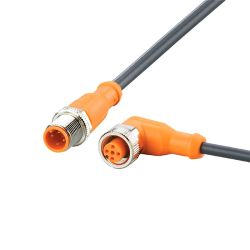 EVC110 \ ecomat 400 \ Passive connection technology \ VDOAH040MSS01.5H04STGH040MSS \ PLSpecial Price THB 1,125.00 Regular Price THB 1,500.00
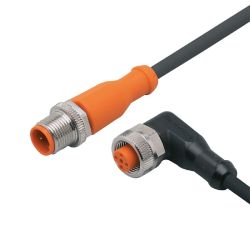 EVC104 \ ecomat 400 \ Passive connection technology \ VDOAH032MSS0003H03STGH030MSS \ PLSpecial Price THB 1,425.00 Regular Price THB 1,900.00
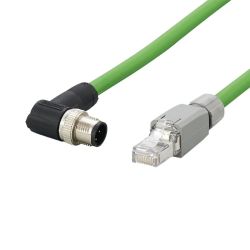 E21139 \ ecomat 400 \ Passive connection technology \ VSTGN040ZDS0005L04STGN040ZDS \ PLSpecial Price THB 4,050.00 Regular Price THB 5,400.00
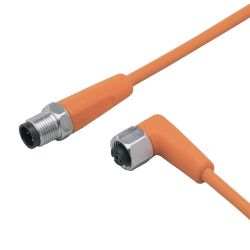 EVT050 \ ecomat 400 \ Passive connection technology \ VDOAH040VAS0005E04STGH040VAS \ PLSpecial Price THB 1,875.00 Regular Price THB 2,500.00
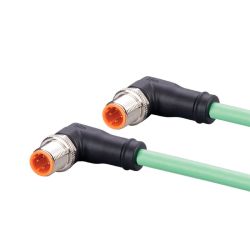 EVC922 \ ecomat 400 \ Passive connection technology \ VSTAN040MSS0010K04STAN040MSS \ PLSpecial Price THB 3,150.00 Regular Price THB 4,200.00
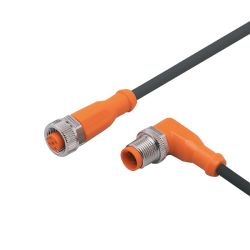 EVC025 \ ecomat 400 \ Passive connection technology \ VDOGH040MSS00,3H04STAH040MSS \ PLSpecial Price THB 1,050.00 Regular Price THB 1,400.00
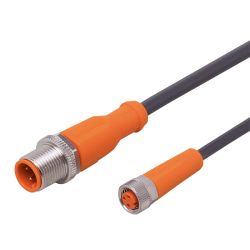 EVC217 \ ecomat 400 \ Passive connection technology \ VDOGF030MSS0001H03STGH030MSS \ PLSpecial Price THB 1,125.00 Regular Price THB 1,500.00
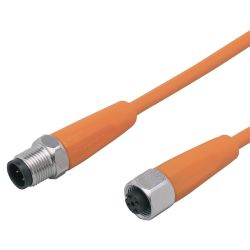 EVT042 \ ecomat 400 \ Passive connection technology \ VDOGH040VAS0001E04STGH040VAS \ PLSpecial Price THB 1,725.00 Regular Price THB 2,300.00
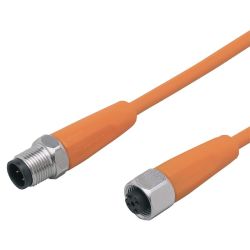 EVT041 \ ecomat 400 \ Passive connection technology \ VDOGH040VAS00,6E04STGH040VAS \ PLSpecial Price THB 1,575.00 Regular Price THB 2,100.00
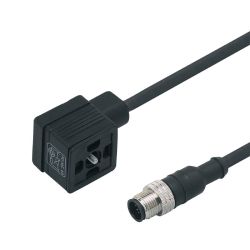 E11418 \ ecomat 400 \ Passive connection technology \ VVDAA031MSS0001H03STGH030MSS \ PLSpecial Price THB 1,200.00 Regular Price THB 1,600.00
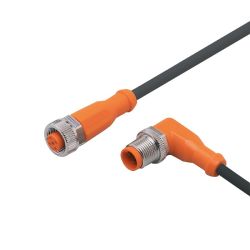 EVC027 \ ecomat 400 \ Passive connection technology \ VDOGH040MSS0001H04STAH040MSS \ PLSpecial Price THB 1,125.00 Regular Price THB 1,500.00
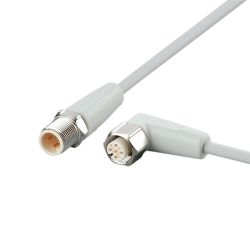 EVF120 \ ecomat 400 \ Passive connection technology \ VDOAH040VAS01,5P04STGH040VAS \ PLSpecial Price THB 2,175.00 Regular Price THB 2,900.00
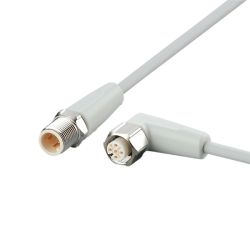 EVF048 \ ecomat 400 \ Passive connection technology \ VDOAH040VAS0001P04STGH040VAS \ PLSpecial Price THB 1,950.00 Regular Price THB 2,600.00
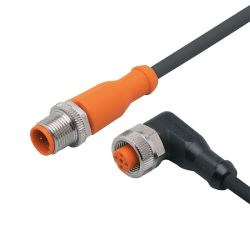 EVC096 \ ecomat 400 \ Passive connection technology \ VDOAH043MSS0003H04STGH040MSS \ PLSpecial Price THB 1,500.00 Regular Price THB 2,000.00
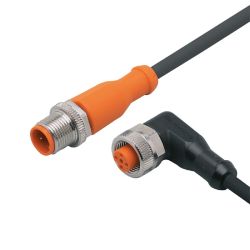 EVC024 \ ecomat 400 \ Passive connection technology \ VDOAH043MSS0005H04STGH040MSS \ PLSpecial Price THB 1,725.00 Regular Price THB 2,300.00
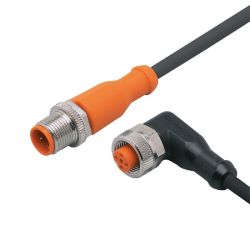 EVC021 \ ecomat 400 \ Passive connection technology \ VDOAH043MSS00,6H04STGH040MSS \ PLSpecial Price THB 1,350.00 Regular Price THB 1,800.00
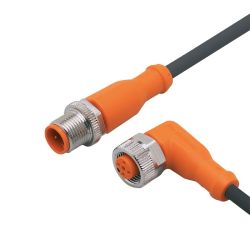 EVC018 \ ecomat 400 \ Passive connection technology \ VDOAH040MSS0002H04STGH040MSS \ PLSpecial Price THB 1,125.00 Regular Price THB 1,500.00
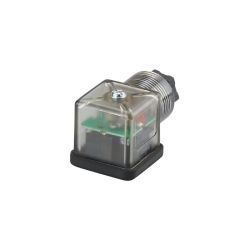 E12224 \ ecomat 400 \ Passive connection technology \ SVDAA031PLSFKPG \ PLSpecial Price THB 510.00 Regular Price THB 680.00
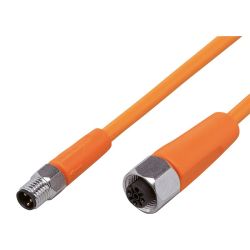 EVT260 \ ecomat 400 \ Passive connection technology \ VDOGH030VAS00,3E03STGF030VAS \ PLSpecial Price THB 1,500.00 Regular Price THB 2,000.00
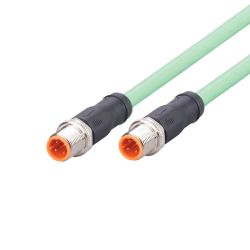 EVC906 \ ecomat 400 \ Passive connection technology \ VSTGN040MSS0002K04STGN040MSS \ PLSpecial Price THB 1,275.00 Regular Price THB 1,700.00
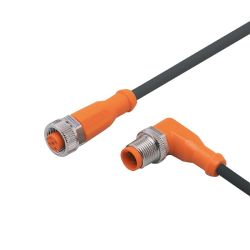 EVC140 \ ecomat 400 \ Passive connection technology \ VDOGH040MSS0003H04STAH040MSS \ PLSpecial Price THB 1,275.00 Regular Price THB 1,700.00
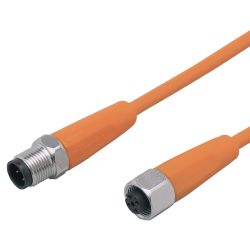 EVT045 \ ecomat 400 \ Passive connection technology \ VDOGH040VAS0010E04STGH040VAS \ PLSpecial Price THB 2,175.00 Regular Price THB 2,900.00
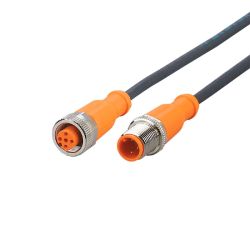 EVC044 \ ecomat 400 \ Passive connection technology \ VDOGH030MSS0005H03STGH030MSS \ PLSpecial Price THB 1,350.00 Regular Price THB 1,800.00
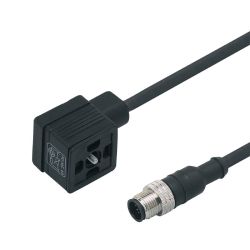 E11417 \ ecomat 400 \ Passive connection technology \ VVDAA031MSS00,6H03STGH030MSS \ PLSpecial Price THB 1,125.00 Regular Price THB 1,500.00
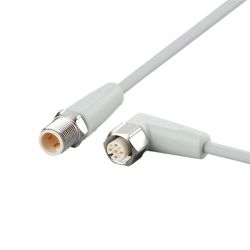 EVF046 \ ecomat 400 \ Passive connection technology \ VDOAH040VAS00,3P04STGH040VAS \ PLSpecial Price THB 1,800.00 Regular Price THB 2,400.00
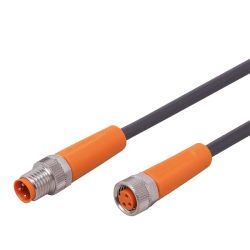 EVC267 \ ecomat 400 \ Passive connection technology \ VDOGF030MSS0001H03STGF030MSS \ PLSpecial Price THB 1,125.00 Regular Price THB 1,500.00
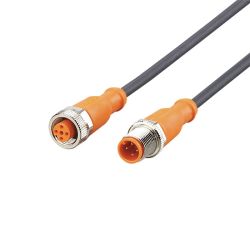 EVC108 \ ecomat 400 \ Passive connection technology \ VDOGH040MSS0010H04STGH040MSS \ PLSpecial Price THB 1,800.00 Regular Price THB 2,400.00
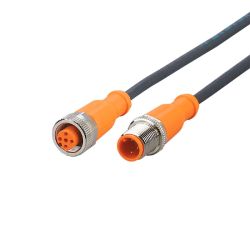 EVC043 \ ecomat 400 \ Passive connection technology \ VDOGH030MSS0002H03STGH030MSS \ PLSpecial Price THB 1,125.00 Regular Price THB 1,500.00
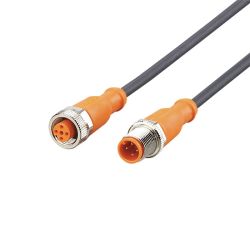 EVC011 \ ecomat 400 \ Passive connection technology \ VDOGH040MSS00,6H04STGH040MSS \ PLSpecial Price THB 1,050.00 Regular Price THB 1,400.00
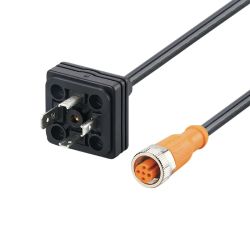 E30436 \ ecomat 400 \ Passive connection technology \ PLUG M12 - DIN VALVE FORM A \ PLSpecial Price THB 1,425.00 Regular Price THB 1,900.00
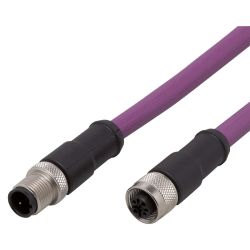 E12316 \ ecomat 400 \ Passive connection technology \ VDOGI020MSS0002K02STGI020MSS \ HUSpecial Price THB 2,550.00 Regular Price THB 3,400.00
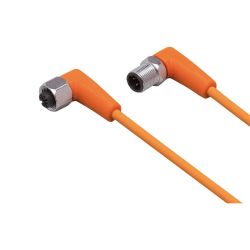 EVT082 \ ecomat 400 \ Passive connection technology \ VDOAH040VAS00,3E04STAH040VAS \ PLSpecial Price THB 1,575.00 Regular Price THB 2,100.00
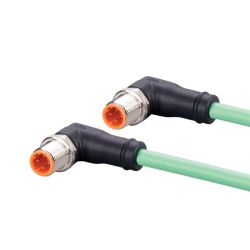 EVC918 \ ecomat 400 \ Passive connection technology \ VSTAN040MSS00,5K04STAN040MSS \ PLSpecial Price THB 900.00 Regular Price THB 1,200.00
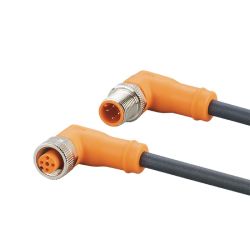 EVC743 \ ecomat 400 \ Passive connection technology \ VDOAH040MSP0020H04STAH040MSP \ PLSpecial Price THB 2,325.00 Regular Price THB 3,100.00
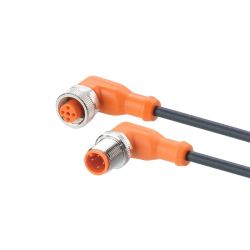 EVC030 \ ecomat 400 \ Passive connection technology \ VDOAH040MSS00,3H04STAH040MSS \ PLSpecial Price THB 1,050.00 Regular Price THB 1,400.00
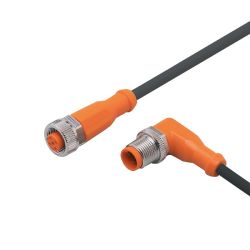 EVC028 \ ecomat 400 \ Passive connection technology \ VDOGH040MSS0002H04STAH040MSS \ PLSpecial Price THB 1,125.00 Regular Price THB 1,500.00
คำถามที่พบบ่อยเกี่ยวกับ Jumper Cables ของ ifm
1. Jumper Cable คืออะไร?
Jumper Cable คือสายพ่วงสำหรับเชื่อมต่อเซนเซอร์ ตัวควบคุม หรืออุปกรณ์ไฟฟ้าในระบบอุตสาหกรรม เพื่อใช้ส่งทั้งสัญญาณและพลังงานระหว่างอุปกรณ์ เหมาะกับงาน Industrial Automation ที่ต้องการการเชื่อมต่อที่สะดวกและเป็นมาตรฐาน
2. Jumper Cable ของ ifm ใช้กับอุปกรณ์อะไรได้บ้าง?
Jumper Cable ของ ifm สามารถใช้เชื่อมต่อกับเซนเซอร์ ตัวควบคุม โมดูล I/O และอุปกรณ์ในระบบ Automation ที่ใช้หัวต่อมาตรฐาน เช่น M8 หรือ M12 โดยต้องเลือกชนิดของ Connector และจำนวน Pin ให้ตรงกับอุปกรณ์ที่ใช้งาน
3. Jumper Cable แบบ M8 และ M12 ต่างกันอย่างไร?
M8 และ M12 แตกต่างกันหลัก ๆ ที่ขนาดของหัว Connector และรูปแบบการใช้งาน โดย M8 มีขนาดเล็กและเหมาะกับพื้นที่ติดตั้งจำกัด ส่วน M12 มีขนาดใหญ่กว่าและเป็นมาตรฐานที่พบได้บ่อยในระบบเซนเซอร์และ Automation อุตสาหกรรม
4. Jumper Cable แบบ 3-Pin, 4-Pin และ 5-Pin ต่างกันอย่างไร?
จำนวน Pin หมายถึงจำนวนขั้วไฟฟ้าภายใน Connector ซึ่งแต่ละรูปแบบรองรับการจ่ายไฟและการส่งสัญญาณที่แตกต่างกัน การเลือก 3-Pin, 4-Pin หรือ 5-Pin ต้องตรวจสอบ Wiring Diagram และสเปกของอุปกรณ์ต้นทางและปลายทางให้ตรงกัน
5. Pre-wired Jumper Cable คืออะไร?
Pre-wired Jumper Cable คือสายเชื่อมต่อที่ประกอบสายและหัว Connector มาให้พร้อมใช้งานจากโรงงาน ช่วยลดขั้นตอนการเข้าหัวสายหน้างาน และเหมาะกับการติดตั้งที่ต้องการความรวดเร็วและลดความผิดพลาดจากการเดินสาย
6. Plug-in Jumper Cable มีข้อดีอย่างไร?
Plug-in Jumper Cable สามารถเชื่อมต่อกับหัวตัวผู้หรือตัวเมียได้โดยตรง ทำให้ติดตั้ง ถอดเปลี่ยน และบำรุงรักษาอุปกรณ์ได้ง่ายกว่าการเดินสายแบบถาวร ช่วยลดเวลาในการซ่อมบำรุงเมื่อเซนเซอร์หรืออุปกรณ์ต้องถูกเปลี่ยน
7. Jumper Cable ใช้กับระบบ IO-Link ได้หรือไม่?
ได้ Jumper Cable ที่เหมาะสมสามารถใช้เชื่อมต่ออุปกรณ์ในระบบ IO-Link เพื่อส่งทั้งพลังงานและข้อมูลระหว่าง IO-Link Device กับ IO-Link Master โดยควรเลือก Connector และการเดินสายให้ตรงกับข้อกำหนดของอุปกรณ์แต่ละรุ่น
8. Jumper Cable ช่วยลดเวลาติดตั้งระบบ Automation ได้อย่างไร?
การใช้สายที่ประกอบ Connector สำเร็จรูปช่วยลดขั้นตอนการตัดสาย เข้าหัว และตรวจสอบจุดเชื่อมต่อหน้างาน ทำให้สามารถติดตั้งหรือเปลี่ยนอุปกรณ์ได้เร็วขึ้น และช่วยลดโอกาสเกิดข้อผิดพลาดจากการต่อสายผิด
9. ควรเลือก Jumper Cable อย่างไรให้เหมาะกับงาน?
ควรพิจารณาชนิดของ Connector เช่น M8 หรือ M12, จำนวน Pin, เพศของ Connector แบบ Male/Female, ความยาวสาย ประเภทสัญญาณ และสภาพแวดล้อม เช่น ฝุ่น ความชื้น น้ำมัน หรือแรงสั่นสะเทือน รวมถึงตรวจสอบความเข้ากันได้กับอุปกรณ์ที่ต้องการเชื่อมต่อ
10. ทำไมควรเลือกใช้ Jumper Cable ของ ifm?
Jumper Cable ของ ifm ถูกออกแบบสำหรับการเชื่อมต่ออุปกรณ์ในระบบอัตโนมัติอุตสาหกรรม มีตัวเลือกสำหรับหัวต่อและรูปแบบการเชื่อมต่อหลายประเภท ช่วยให้การติดตั้งเซนเซอร์และอุปกรณ์ควบคุมทำได้สะดวก และสามารถนำไปใช้งานร่วมกับระบบ Automation และ IO-Link ได้ตามสเปกของอุปกรณ์
This website uses cookies
We use cookies to make the site work properly, to understand how it is used, and to show content that is relevant to you. You choose which types to allow; strictly necessary cookies are always on. Privacy Policy
🤖 AI Assistant
Ask about products, specs and replacement models
Hello 👋 Ask us anything — find products, compare specs, or troubleshoot.
🗑 Clear history