
SPECIAL PROMOTION — Up to 40% off across many product groups, until 31 December 2026 · Click to see all promotion itemsIFM, Sensor, Automation SystemMeasuring / Testing InstrumentsTemp Indicator, Control, T/C, RTD, TimerHeater, SCR Control, Solid State, Power Supply, Control CabinetField Measuring Instruments, Pressure Gauge, Level Control, Flow MeasurementEMC, Pneumatic, Solenoid ValveInspection Test Lamp, Head Light, Automotive Measuring InstrumentWeighing Scales, Marking Machine, PrintersEducational Training SystemsHot Line Tools & Equipment SPECIAL PROMOTION — Up to 40% off across many product groups, until 31 December 2026 · Click to see all promotion itemsIFM, Sensor, Automation SystemMeasuring / Testing InstrumentsTemp Indicator, Control, T/C, RTD, TimerHeater, SCR Control, Solid State, Power Supply, Control CabinetField Measuring Instruments, Pressure Gauge, Level Control, Flow MeasurementEMC, Pneumatic, Solenoid ValveInspection Test Lamp, Head Light, Automotive Measuring InstrumentWeighing Scales, Marking Machine, PrintersEducational Training SystemsHot Line Tools & Equipment View promotion items View all
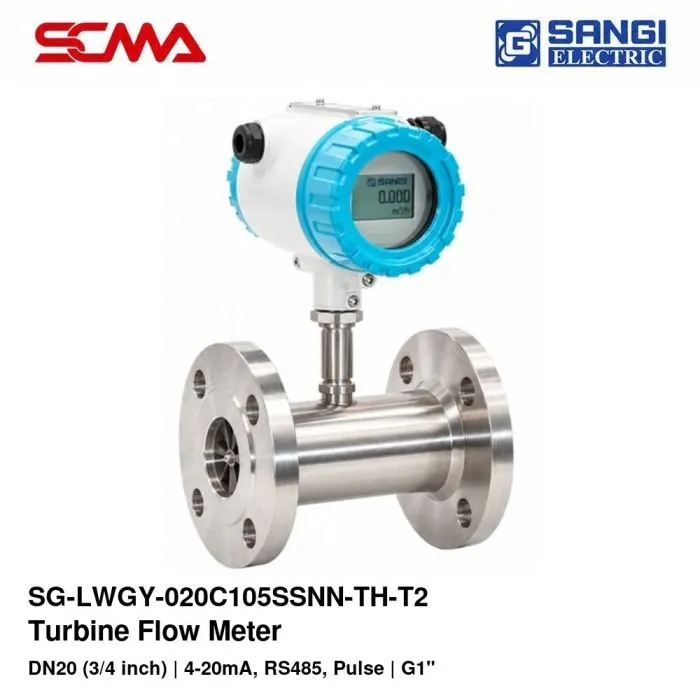
Turbine Flow Meter: SG-LWGY-020C105SSNN-TH-T2 /DN20(3/4")/4-20mA,RS485,Pulse /G1
Special Price THB 16,380.00 Regular Price THB 27,300.00
In stock
SKU
039720
In stock: 2 pcs
Delivery within: 29/11/2026
🚚 Free delivery on orders of THB 2,500 or more! (standard delivery fee THB 100)

SG-LWGY-020C105SSNN-TH-T2, SANGI, Turbine Flow Meter, DN20, 3/4 Inch, G1 Thread, 4-20mA, RS485, Pulse Output, Turbine Flow Sensor, Industrial Flow Meter, Digital Flow Meter, Flow Measurement, Threaded Connection, Flow Meter, Turbine Flow Meter, Flow Meter, Flow Meter, Turbine Flow Meter, Impeller Flow Meter, DN20 Flow Meter, Flow Rate Sensor, G1 Threaded Flow Meter Inch, RS485 Flow Meter, 4-20mA Flow Meter
*Price does not include VAT
SANGI SG-LWGY-020C105SSNN-TH-T2 Turbine Flow Meter DN20 (3/4")
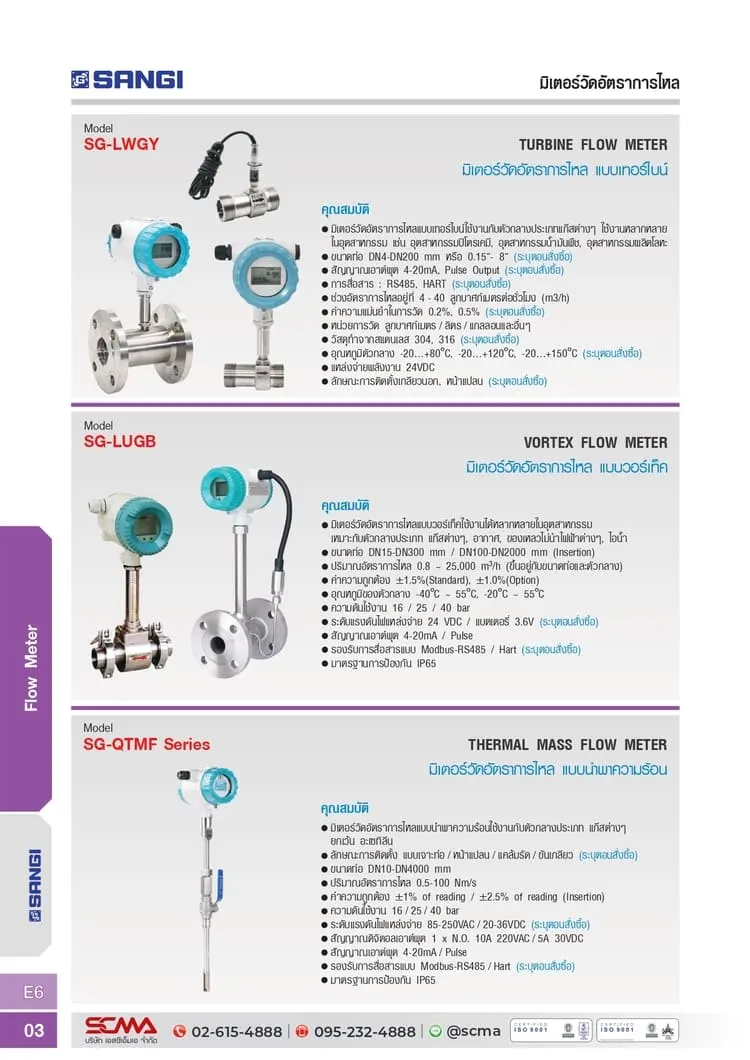
SANGI SG-LWGY-020C105SSNN-TH-T2 Turbine Flow Meter is a turbine flow meter used to measure the flow rate of fluids within pipe systems. It operates on the principle of a rotating turbine rotor, which correlates with the fluid's flow rate.
This model has a DN20 (3/4") size and uses a G1 inch threaded connection. It supports Analog 4-20mA output signal, Pulse Output, and RS485 communication. Suitable for industrial applications requiring these signals for monitoring and controlling flow rates.
General Features
- Model: SG-LWGY-020C105SSNN-TH-T2
- Brand: SANGI
- Product Type: Turbine Flow Meter
- Measurement Principle: Turbine Flow Measurement
- Pipe Size: DN20 (3/4")
- Connection Type: Thread G1"
- Analog Output 4-20mA Supported
- Pulse Output Supported
- RS485 Communication Supported
- Compatible with signal receiving devices and control systems that support these signals
Technical Specifications
| Model | SG-LWGY-020C105SSNN-TH-T2 |
| Brand | SANGI |
| Product Type | Turbine Flow Meter |
| Nominal Size | DN20 (3/4") |
| Process Connection | Thread G1" |
| Measurement Principle | Turbine |
| Analog Output | 4-20mA |
| Pulse Output | Pulse |
| Communication | RS485 |
How It Works
The turbine flow meter operates by rotating a turbine rotor within the fluid path. As fluid passes through the meter, it causes the rotor to spin at a speed proportional to the flow rate. A sensor detects this rotation and processes the signal into data for measuring the flow rate.
The SG-LWGY-020C105SSNN-TH-T2 model supports 4-20mA, Pulse signals and RS485 communication for use with compatible monitoring or control systems.
Size and Installation
The SG-LWGY-020C105SSNN-TH-T2 is a DN20 (3/4 inch) flow meter using 1-inch NPT thread connections. Before installation, ensure that the pipe threads match those of the meter, as well as verify the direction of flow and straight pipe lengths before and after the meter according to manufacturer specifications.
Examples and Usage Guidelines
- Monitor fluid flow rates in industrial piping systems suitable for turbine meters.
- Apply in production process flow rate tracking systems.
- Send Analog 4-20mA signals to PLCs or compatible signal receivers.
- Use Pulse signals with counting devices or flow monitoring systems that support them.
- Connect data via RS485 to compatible monitoring equipment or systems.
Considerations
- Check the type of fluid, viscosity, temperature, and operating pressure to ensure they meet meter specifications.
- Verify the flow rate range and accuracy for the DN20 model from the specific technical documentation.
- The pipe size DN20 (3/4 inch) and 1-inch NPT thread sizes are different items; choose connections correctly.
- Check wiring details and signal specifications of 4-20mA, Pulse, and RS485 according to equipment manuals.
- Review the protocol and communication settings for RS485 before connecting to control systems.
- Ensure proper flow direction and straight pipe lengths are verified prior to actual installation.
Write Your Own Review
This website uses cookies
We use cookies to make the site work properly, to understand how it is used, and to show content that is relevant to you. You choose which types to allow; strictly necessary cookies are always on. Privacy Policy
🤖 AI Assistant
Ask about products, specs and replacement models
Hello 👋 Ask us anything — find products, compare specs, or troubleshoot.
🗑 Clear history