
SPECIAL PROMOTION — Up to 40% off across many product groups, until 31 December 2026 · Click to see all promotion itemsIFM, Sensor, Automation SystemMeasuring / Testing InstrumentsTemp Indicator, Control, T/C, RTD, TimerHeater, SCR Control, Solid State, Power Supply, Control CabinetField Measuring Instruments, Pressure Gauge, Level Control, Flow MeasurementEMC, Pneumatic, Solenoid ValveInspection Test Lamp, Head Light, Automotive Measuring InstrumentWeighing Scales, Marking Machine, PrintersEducational Training SystemsHot Line Tools & Equipment SPECIAL PROMOTION — Up to 40% off across many product groups, until 31 December 2026 · Click to see all promotion itemsIFM, Sensor, Automation SystemMeasuring / Testing InstrumentsTemp Indicator, Control, T/C, RTD, TimerHeater, SCR Control, Solid State, Power Supply, Control CabinetField Measuring Instruments, Pressure Gauge, Level Control, Flow MeasurementEMC, Pneumatic, Solenoid ValveInspection Test Lamp, Head Light, Automotive Measuring InstrumentWeighing Scales, Marking Machine, PrintersEducational Training SystemsHot Line Tools & Equipment View promotion items View all
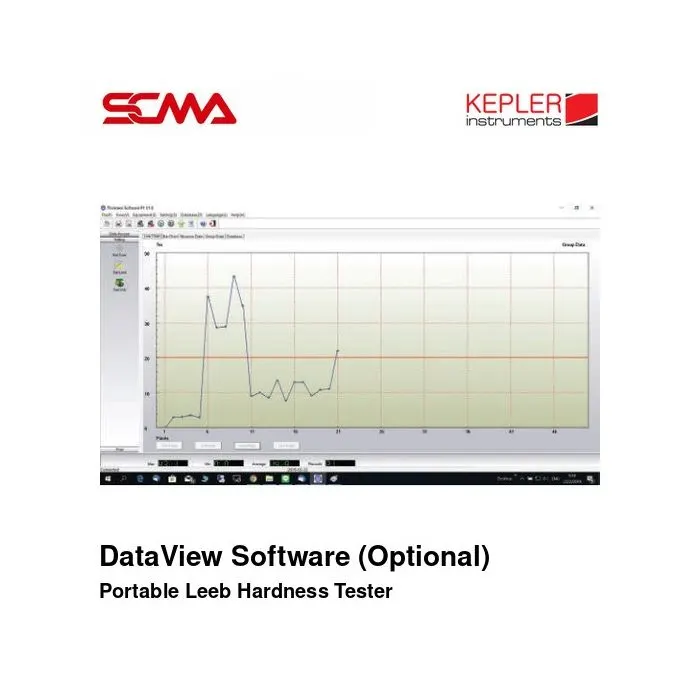
DataView Software (Optional) PORTABLE LEEB HARDNESS TESTER KEPLER
Price on request – please contact us
Out of stock
SKU
051004
Out of stock

DataView Software, KEPLER, Data View Software, Optional DataView Software, Portable Leeb Hardness Tester Software, Leeb Hardness Tester PC Software, Hardness Tester Data Software, Hardness Measurement Software, Metal Hardness Tester Software, Digital Hardness Tester Software, Hardness Testing PC Connection, USB Hardness Tester Software, Hardness Measurement Data Transfer, Hardness Test Data Management, Portable Hardness Tester Accessories, Hardness Testing Software, Leeb Hardness Data Software, Hardness Inspection Software, KEPLER KH-170 Software, KEPLER KH-172 Software, KEPLER KH-174 Software, Industrial Hardness Testing, Quality Control Software, Metal Hardness Measurement Data, Hardness Testing Instrument Accessories, DataView Program, DataView Software, Portable Hardness Tester Program, Metal Hardness Tester Program, Leeb Hardness Tester Program, PC Connection for Hardness Tester, USB Data Transfer Program for Hardness Tester, Hardness Test Data Management Program, KEPLER Hardness Tester Software, KEPLER KH-170 Program, KEPLER KH-172 Program, KEPLER KH-174 Program, Portable Hardness Tester Accessories, Quality Control Software
*Price does not include VAT
KEPLER DataView Software for Portable Leeb Hardness Tester (Optional)
KEPLER DataView Software (Optional) is a computer program designed to be used in conjunction with supported portable metal hardness testing devices (Portable Leeb Hardness Tester) to connect the tester to a computer and support the use of hardness test data.
DataView program is an optional item listed in SCMA General Catalog Vol.5 and provides information on the use with KEPLER hardness testers models KH-170, KH-172 and KH-174. These models support connection to the program through a USB port as stated on the SCMA website.
It is suitable for users who need to use hardness measurement data from the device on a computer to support data verification, test result recording, and quality control processes. The ability to display results, record data, and export files depends on the actual version of the software received.
General Features (Features)
- Brand: KEPLER
- Program Name: DataView Software
- Product Type: Optional PC Software
- It is an optional software for supported Portable Leeb Hardness Tester models
- Used to connect the hardness tester to a computer
- Supports communication via USB according to the specifications of the tester being used
- Supports the use of hardness test data on a computer
- Provides information on use with KEPLER KH-170, KH-172 and KH-174
- Suitable for metal hardness testing and quality control work
- Check the software version and supported model before ordering
Product Specifications (Product Specifications)
| Specifications | Details |
|---|---|
| Brand | KEPLER |
| Product Name | DataView Software |
| Product Type | Optional Software |
| Application | Portable Leeb Hardness Tester |
| Connection Function | PC Connection for Measurement Data |
| Communication Interface | USB (Depending on Compatible Instrument) |
| Related Model: KH-170 | DataView Software Supported |
| Related Model: KH-172 | DataView Software Supported |
| Related Model: KH-174 | DataView Software Supported |
| Other Model Compatibility | Subject to Confirmation |
| Software Version | Not Specified in Catalog |
| Operating System | Not Specified in Catalog |
| Software License | Subject to Confirmation |
| Supported File Formats | Subject to Confirmation |
| Software Delivery Method | Subject to Confirmation |
Usage with Hardness Measuring Instruments (Compatible Instruments)
Information from the supplier indicates the use of DataView software with the following portable KEPLER hardness measuring instruments
| Model | Impact Device | Software Connection |
|---|---|---|
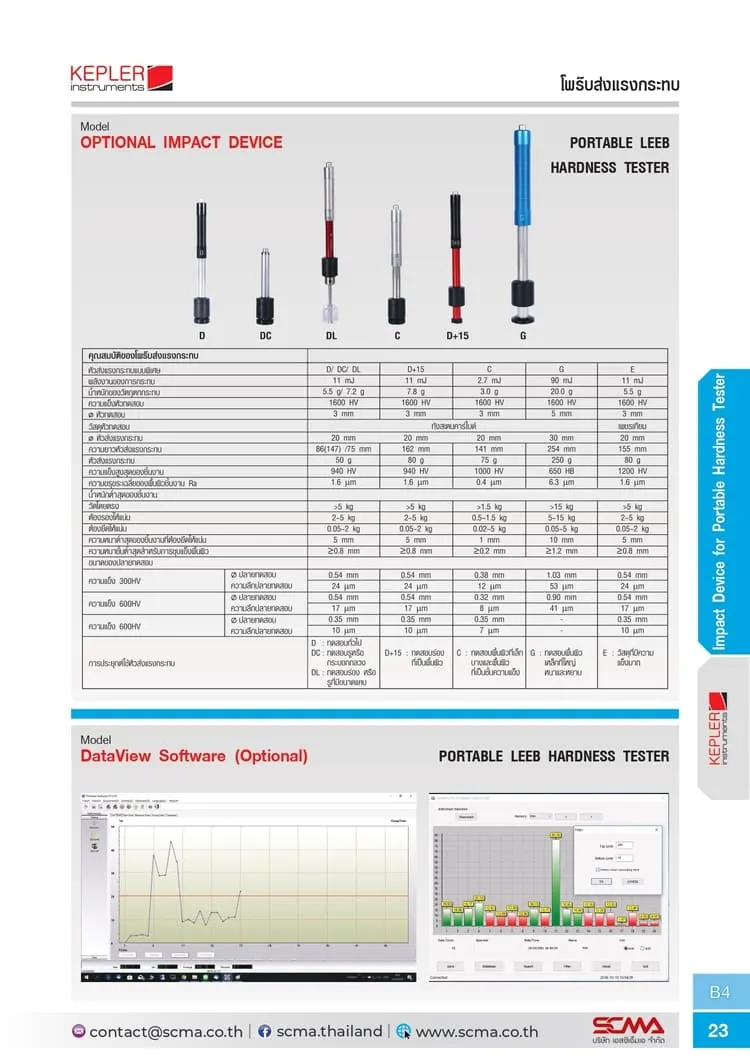
| KH-170 | D-Type Integrated | USB Connection to DataView |
| KH-172 | C-Type Integrated | USB Connection to DataView |
| KH-174 | DL-Type Integrated | USB Connection to DataView |
Note: The above information is a list of instrument models that have direct evidence of supporting DataView usage. It does not mean that the software supports all KEPLER hardness measuring instruments. If you want to use it with other models, you should check with the supplier before ordering.
Connection to Computer (PC Connection)
Supported hardness measuring instruments can be connected to a computer via the USB port to be used with DataView Software. The connection and data reception depend on the communication system of the hardness measuring instrument and the version of the software being used.
Before use, check the type of communication cable, system operating compatibility, and software installation requirements, including any necessary drivers for each model of the instrument.
Usage Guidelines
- Check that the Portable Leeb Hardness Tester is compatible with DataView Software
- Ensure the program version is suitable for the device model
- Install the software according to the manufacturer's manual or instructions
- Install the driver if the device requires it
- Connect the tester to the computer using a supported USB cable
- Open the program and set up the connection according to the manual
- Check the connection status between the tester and the program
- Perform hardness measurements and use data according to the program's capabilities
- Check the measurement results received from the device
- Record or manage data according to the functions available in the actual version being used
Benefits of Use with Quality Inspection Systems
Connecting the hardness tester to a computer helps support the data management process of inspection results, which is an important part of quality control in industry.
DataView Software is therefore an option for users of hardness testers who want to use data from the instrument with a computer. The functions of storage, analysis, report generation, or data export depend on the actual version and capabilities of the software received.
Application Examples (Applications)
- Connect the KEPLER metal hardness tester to a computer
- Support the use of hardness measurement data
- Used together with hardness testing of steel and stainless steel parts
- Used together with hardness testing of machine parts
- Used in metal part quality inspection
- Used in production quality control processes
- Used to support data management from portable hardness testers
Information to Check Before Ordering
- Check the model of the tester to be used with DataView
- Confirm the program's compatibility with the computer's operating system
- Check the version of the software available for sale
- Check the type of usage rights and the number of devices that can be installed
- Check the method of program delivery, such as installation files or download links
- Check whether communication cables and drivers are included in the received items
Important Notes
- The product is a software add-on, not a hardness tester or impact head
- DataView Software does not measure hardness by itself; it must be used with a compatible measuring device
- The presence of a USB port on the measuring device does not guarantee compatibility with all versions of DataView
- The catalog does not specify the operating system requirements, program version, or license format
- Do not assume the Export Excel, CSV, PDF, or automatic report generation functions are available until the actual program is checked
- Check the details of the equipment or files delivered according to the sales list
- Check compatibility and usage conditions with the supplier before ordering
Write Your Own Review
This website uses cookies
We use cookies to make the site work properly, to understand how it is used, and to show content that is relevant to you. You choose which types to allow; strictly necessary cookies are always on. Privacy Policy
🤖 AI Assistant
Ask about products, specs and replacement models
Hello 👋 Ask us anything — find products, compare specs, or troubleshoot.
🗑 Clear history